|
|
|
|

See features, benefits and comments, while learning how to create great Web pages with WebSiteWord [click here]
Take advantage of our great offers, and be productive in minutes. [click here]
Get started in 2 minutes [click here]
Main functions in seven steps [click here]
Yes, there is a free edition, for personal use only! No forms to fill, no complications, just download and run. Win95+; 3.4MB. 100 days FREE. Why wait? [click here]
|
|
Get started in two minutes
It's easy to get started with Web Site Word!
- create pages using the fancy functions in the toolbars:
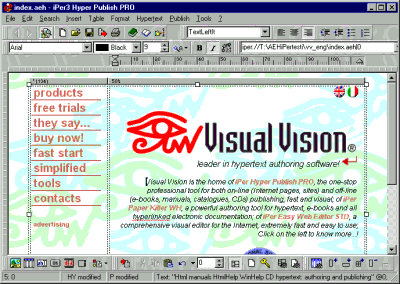
- add new pages using the bottom center page number box (the one with the “0” in the following image);

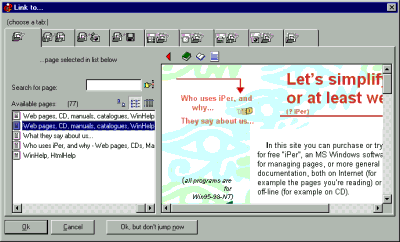
- link pages selecting text and using "Insert >Link":
- save the site with "File >Save all";
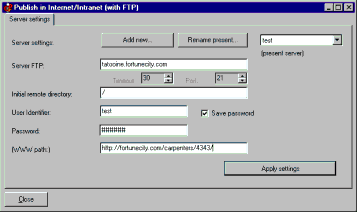
- configure the FTP, "Publish >Internet - FTP >Setup". You need server name, user name, password (press the large button to test if all right):
- publish in the Internet "Publish >Internet - FTP >Publish on the Internet" (once connected, press the large button):
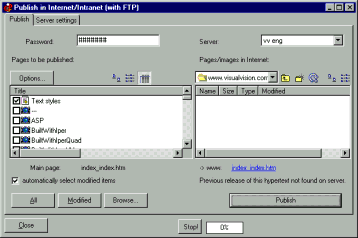
Done? That’s all.
Want to try? Download the trial!
Want to save time? Buy the software now!
If you want you can browse the full manual.
|