Internet FTP publishing, 1
Before publishing your site, you have to setup the FTP parameters. This must be done one time only. You can obtain all the parameters from your system administrator, your ISP, or your host.
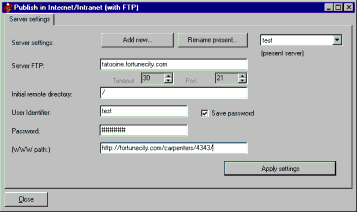
Let’s suppose we have as parameter:
server FTP: tatooine.fortunecity.com
user identifier: test
password: XYty34
WWW path: http://fortunecity.com/carpenters/4343/ (this parameter is not mandatory)
Initial remote directory: / (this parameter is not mandatory)
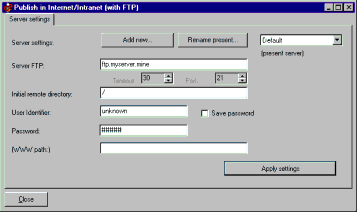
Choose “Publish >Internet - FTP >Setup...” to setup parameters.
You can modify the data for the “Default” profile, or you can create a new server profile with “Add new...”.
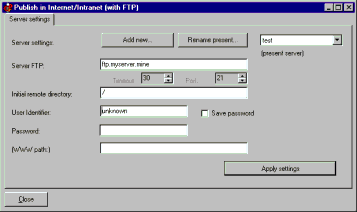
Let’s create a new profile by using “test” as name.
Let’s insert our parameters:
As you see, the password is hidden with “#”. You can store it by using the “save password” box. This avoid dig the password every time you want to get connected.
When all parameters are OK, press the “Close” button to save settings.
Advertising