How to publish a CD, 3
With the "customize" tab you can set up the install options. There are two sub-tabs:
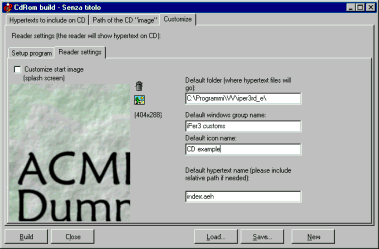
In the first one you can customize the “splash screen” of the reader (the window that shows at program start). You can choose the image by using the image button. An example is in ..\es_CD\wizStuff\ssplash.gif”
In the same tab you can set a name for the Windows group (in the start menu) and you can choose the “default hypertext”, i.e. the hypertext that will show at the first run of the software, after the CD installing. In this CD creation example the main hypertext is indexHP.aeh.
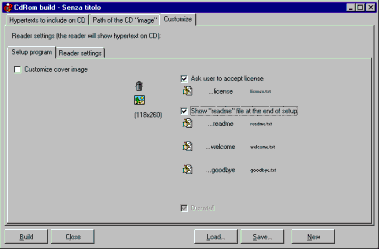
In the next tab you can insert welcome and good bye messages, and the license (you can find some examples in ../es_CD\wizStuff\. )
Some other VisualVision professional software programs: